Highly customizable desktop widget for stylishly tracking detailed system performance, resources, and network activity
Highly customizable desktop widget for stylishly tracking detailed system performance, resources, and network activity
Vote (11 votes)
Program license Free
Developer Xymantix
Version 3.44
Works under Windows
Vote
(11 votes)
Developer
Xymantix
Works under
Windows
Program license
Free
Version
3.44
Pros
- Highly customizable with numerous skins and configuration options
- Wide range of monitored system metrics
- Additional tools such as email checking and media player control
- Minimal impact on system performance
Cons
- Some features may require manual setup or may not always function reliably
- Initial configuration can be complex for beginners
- Occasional compatibility issues on the latest Windows versions
Customizable desktop widget for real-time system monitoring and information
Overview
SysMetrix provides a versatile solution for users seeking detailed, at-a-glance system monitoring directly on their Windows desktop. It combines the functionality of system metric tracking with a customizable visual interface, making it suitable for both casual users and power users who want more control over their system’s appearance and performance insights.
Features and Functionality
SysMetrix monitors a wide array of system statistics, including CPU and memory usage, disk space, system uptime, network speeds, and battery status for portable devices. Its ability to display IP information, remaining battery time, and download/upload rates allows users to keep tabs on critical aspects of their PC without having to access multiple utilities.
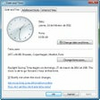
Beyond hardware monitoring, SysMetrix integrates with several applications and services. Users can check the status of their email accounts, access real-time weather reports, and even control popular media players. The addition of a stylish clock and calendar increases its functionality, enabling SysMetrix to replace default desktop gadgets or clock tools.
Customization
One of SysMetrix's standout aspects is its extensive skin support. Dozens of user-created skins are included, catering to a variety of aesthetic preferences—from minimalist clocks to advanced metric dashboards. Each skin boasts individual customization options for font, color, transparency, and displayed metrics. While initial configuration might seem complex due to the large number of tweakable parameters, the software rewards users with a tailored desktop experience.
A dedicated community continually expands the selection of skins and add-ons, allowing for further personalization and extended functionality.
Performance
SysMetrix is designed to be lightweight, imposing minimal overhead on system resources. In most scenarios, it runs unobtrusively in the background. However, users with older hardware or heavily customized skins may notice slight performance variations. Features such as automatic data updating and customizable refresh rates help to balance resource usage and real-time information accuracy.
User Experience
The interface is thoughtfully arranged, but the abundance of options may initially overwhelm inexperienced users. Comprehensive help files and user forums are available, assisting with setup and troubleshooting. Certain features, such as the weather update tool, may require manual configuration and are sometimes affected by changes to external service providers, which can impact reliability.
Compatibility
SysMetrix supports a wide range of Windows versions, though some newer operating systems may display minor compatibility warnings unless run in compatibility mode. Regular updates from the developer address reported bugs and extend platform support.
Pros
- Highly customizable with numerous skins and configuration options
- Wide range of monitored system metrics
- Additional tools such as email checking and media player control
- Minimal impact on system performance
Cons
- Some features may require manual setup or may not always function reliably
- Initial configuration can be complex for beginners
- Occasional compatibility issues on the latest Windows versions